

10 Signs of AI Writing That Get Flagged (and How to Fix)
Does your article keep getting flagged as AI-generated when you know you wrote it? You are not alone. As AI detectors get more advanced, they often flag text that a person wrote but that happens to share the same statistical patterns as AI output.
The best way to avoid a false flag is to understand the signs of AI writing that detectors scan for, and fix them in your own draft. Here are the 10 most common signs, and how to fix each one.
How AI Detectors Work
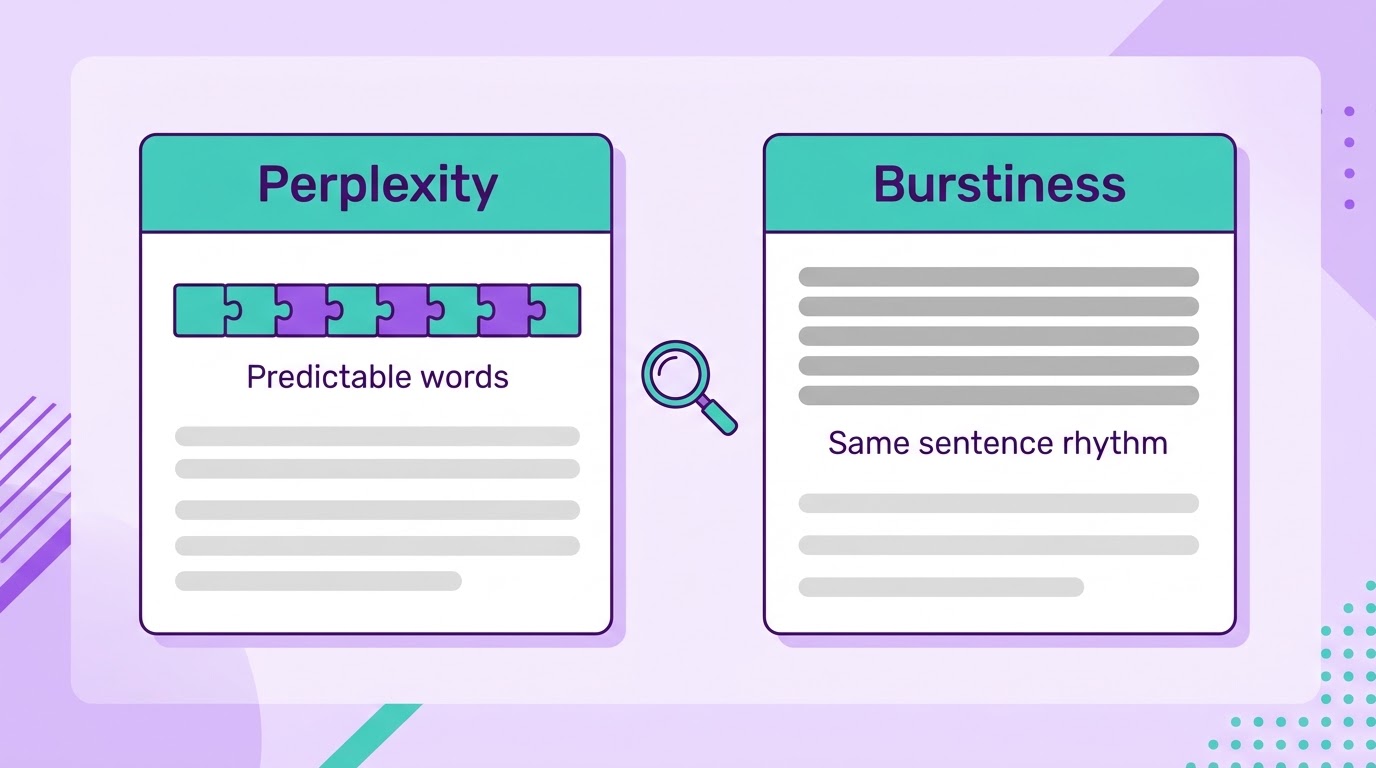
Before the signs, it helps to know the mechanics. AI detectors do not read the meaning of your text. They look at statistical patterns, mainly perplexity and burstiness.
- Perplexity is how predictable your word choices are. The lower the perplexity, the more predictable the text. AI tends to pick the most statistically likely word, while human writing is more creative and less predictable.
- Burstiness is how predictable your sentence structure is. AI text tends to have low burstiness because it does not vary sentence length and structure the way people naturally do.
For a deeper look, read our guide on how AI detectors actually work.
Sign 1: Uniform Sentence Length
If every sentence in a paragraph is about the same length, detectors can flag it. This is a case of low burstiness. Human writing is messier and changes rhythm.
The Fix
Vary your sentence length. A good habit is to follow a long sentence with a short one. Read the paragraph out loud to check that the rhythm sounds natural and a little uneven.
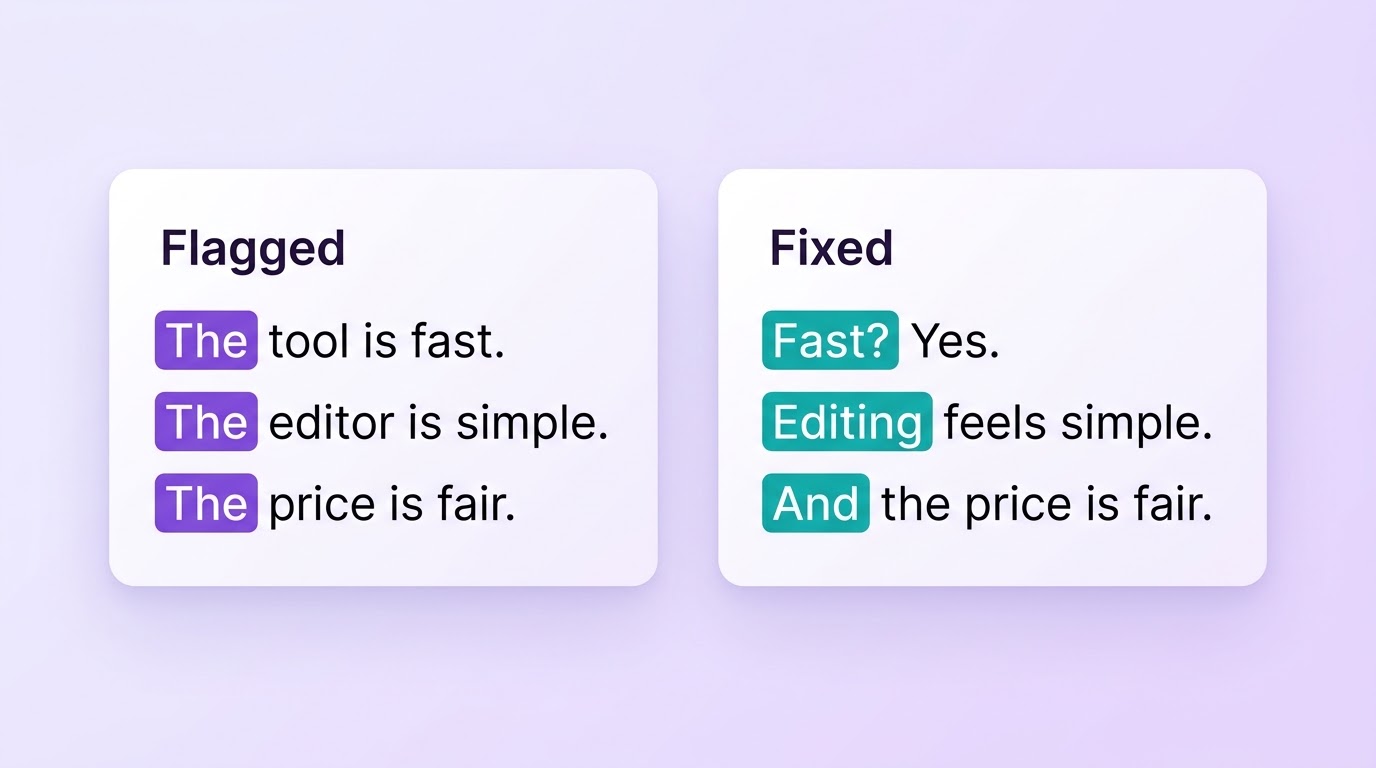
Sign 2: Repetitive Sentence Openings
Starting several sentences in a row with the same word will raise a red flag. Words like "The," "This," "It" or "Many" should be used sparingly. Detection tools pick up this repetition easily.
The Fix
Start your sentences in different ways. Not every sentence needs to do the same job. Some can be statements, others can be questions or short exclamations.
Sign 3: Formulaic Sentence Structure
AI text often follows a strict subject-verb-object pattern. It names the topic, says what the topic does, then explains what that means.
The Fix
Change the grammar of your sentences. Not every sentence should start with the subject. Begin some with a dependent clause, or move the subject, verb and object around.
Sign 4: Low Perplexity (Predictable Word Choice)
AI text uses the most likely word in any given context. That makes it predictable and easy for detection software to spot.
The Fix
Avoid the most obvious word when a less common one still fits. Try conversational phrases like "Anyway," "Thing is," or "Look." Use analogies only you would come up with, or the jargon of your own field if it applies.
Sign 5: The Same Rhythm Across the Whole Article
Low burstiness does not only show up inside one paragraph. AI text often keeps the same rhythm and structure from the first paragraph to the last. Every paragraph has the same length and the same shape.
The Fix
Vary your paragraphs too. Follow a long paragraph with a one-line paragraph. Read the whole piece, not just one section, and check that the rhythm changes.
Sign 6: Over-Polished, Perfectly Even Writing
Good grammar is not wrong. But writing that is flawless and stiff in every line can look like AI output, especially if your audience would not expect that level of polish.
The Fix
Don't over-edit your draft. If you use a tool like Grammarly, you don't have to accept every suggestion. Keep natural phrasing, contractions and the occasional short fragment. Fix real mistakes, but leave your own style in place.
Sign 7: Repetitive Transition Words
AI text overuses transitions. It leans heavily on words like "However," "Therefore," "In addition," "Moreover" and "Furthermore."
The Fix
Use a transition only when you need one to connect two ideas. Don't repeat the same one inside a paragraph. Instead of "Furthermore," you can start the sentence with no transition, or use a phrase like "On top of that."
Sign 8: Cookie-Cutter Examples and Explanations
AI text often uses generic examples that fit no particular situation. It relies on buzzwords that sound high-level but say nothing specific. This makes your text easy to flag.
The Fix
Skip generic examples. Use specific ones that clearly support your point, and pick examples your readers can relate to. If you are not sure about a fact, double-check it and add a source.
Sign 9: "AI-Flag" Words (Delve, Tapestry and More)
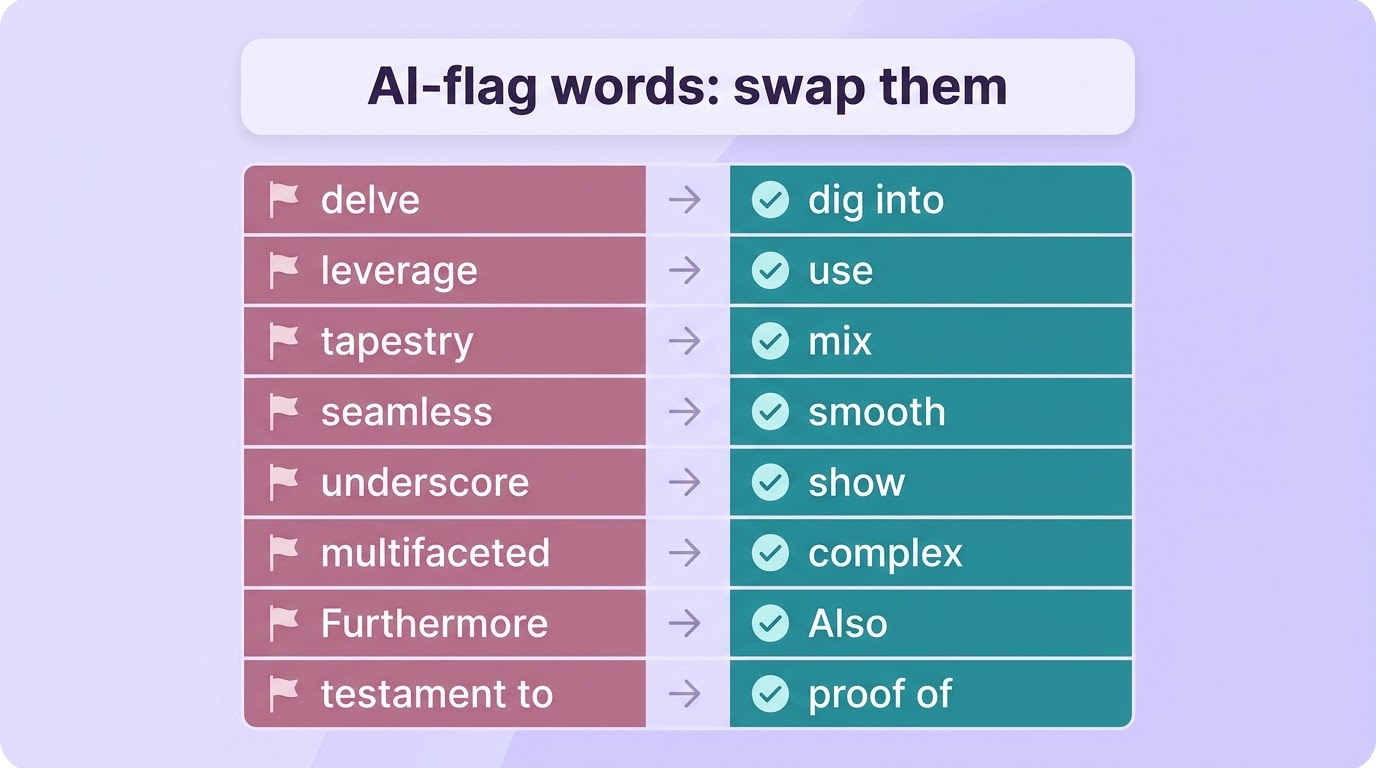
Some words are commonly seen as favourites of AI writing. These include "delve," "tapestry," "multifaceted," "nuance," "underscore," "leverage," "testament" (used figuratively) and "seamless."
The Fix
Swap these words for simpler, more common ones. Say "dig into" instead of "delve," or "use" instead of "leverage."
Sign 10: Low "Voice" and No Personality
AI text has no real voice. It may sound formal or casual, but it rarely has a steady tone or a point of view of its own. Even formal writing usually has some personality.
The Fix
Put your voice in the text. Use words and expressions that sound like you. Be casual where it fits, and don't be afraid of contractions if you want a conversational tone.
The 10 Signs at a Glance
| # | Sign | Quick Fix |
|---|---|---|
| 1 | Uniform sentence length | Follow long sentences with short ones |
| 2 | Repetitive sentence openings | Start sentences in different ways |
| 3 | Formulaic sentence structure | Move the subject, verb and object around |
| 4 | Low perplexity | Use less obvious words and your own analogies |
| 5 | Same rhythm across the article | Vary paragraph length too |
| 6 | Over-polished writing | Keep your natural phrasing |
| 7 | Repetitive transition words | Use transitions only when needed |
| 8 | Cookie-cutter examples | Use specific, relatable examples |
| 9 | "AI-flag" words | Swap them for simple words |
| 10 | Low voice and personality | Write the way you speak |
Why "Bypassing" AI Detectors Does Not Work
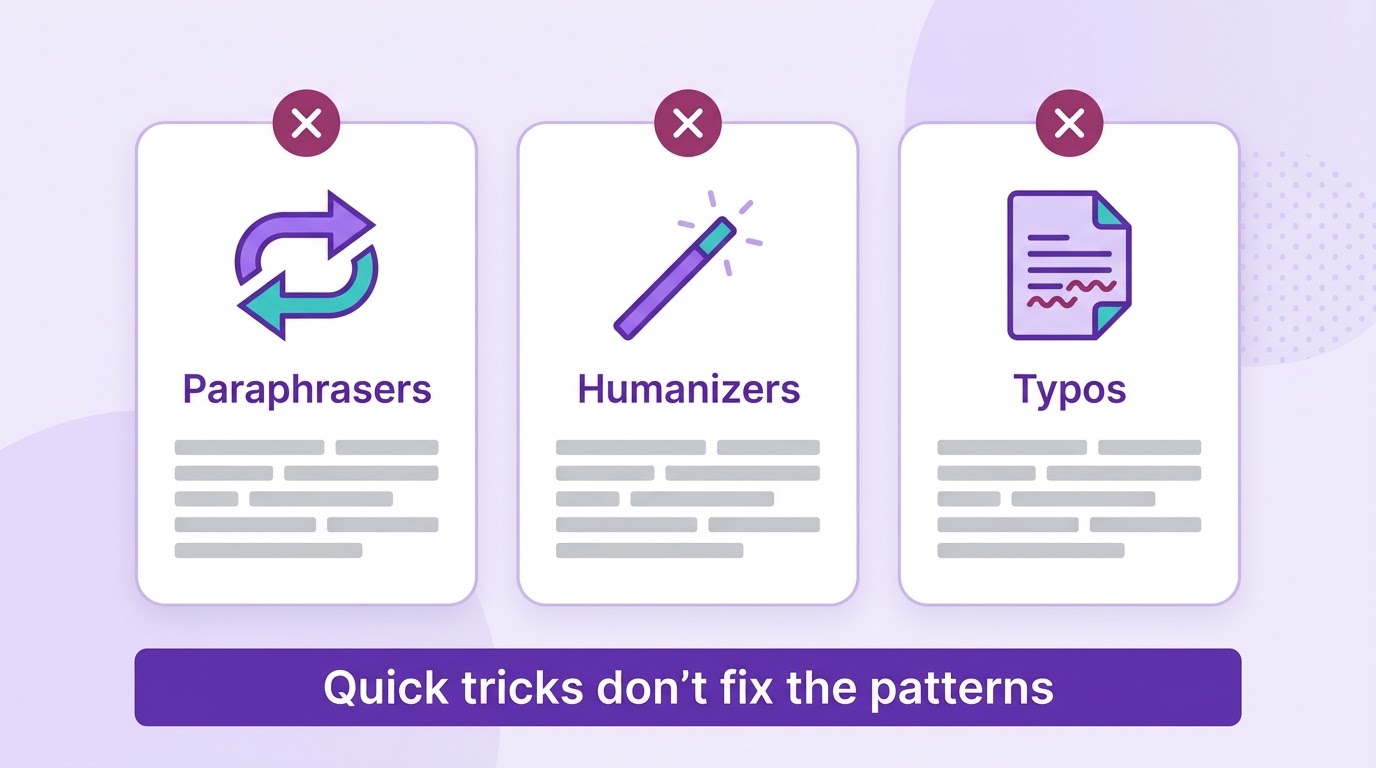
You may have tried paraphrasing your text or using a humanizer tool to beat AI detectors. Here is why those tactics usually fall short:
- Paraphrasing tools: They swap some words for others but do not change perplexity or burstiness. They often keep the same patterns as AI text, which can make your writing sound even more robotic.
- Humanizer tools: Results are inconsistent, and some detectors also look for rewritten AI text.
- Adding typos: Adding typos to AI text does not make it sound more human. It just makes it AI text with typos.
If you want a faster first pass on a draft, Ryne's AI humanizer is one option. Even then, edit by hand and read the result out loud. You can also check your draft with Ryne's AI detector before you publish.
Already got a flag on text you wrote yourself? Read why your essay is detected as AI.
Conclusion
AI detectors are not meant to punish people for using AI. They are meant to stop AI content from being used where it is not appropriate. Still, a few common-sense fixes can help your writing avoid a false flag.
Vary your sentence structure and length, avoid repeated word choices, and make your text sound like a real person wrote it. After all, that is what good writing is about.
Keep reading

How to Humanize AI Text in Bulk: Workflow for Teams
Learn how to humanize AI text in bulk with a 5-step batch workflow for content teams and agencies, including API integration and human review

How to Make AI Writing Sound More Human: 7 Mistakes
Humanizing AI text can backfire. See the 7 most common mistakes, with before and after examples, and how to make AI writing sound more human.