


Humbot AI Humanizer Review 2026: Tested & Scored

Nowhere near invisible anymore, artificial intelligence shapes how we produce words across websites, messages, school papers, even item blurbs. Though once hidden, its fingerprints show up clearly to programs built to spot them.
Tools like GPTZero or Turnitin scan sentences with sharper eyes every month. Because of this shift, people who write for work or study hunt quietly for ways around robotic tones.
Human-sounding flow matters more when machines do the first draft. Detection grows smarter - so must the methods to blend in.
More people wanting artificial intelligence that feels natural has helped push tools like Humbot into the spotlight by 2026. This Humbot review looks closely at how the tool handles tasks, what you pay, where it shines, where it falls short, plus real-world usefulness.
Despite newer options appearing, Humbot holds ground thanks to specific traits users notice right away.
What Humbot AI Humanizer Is?
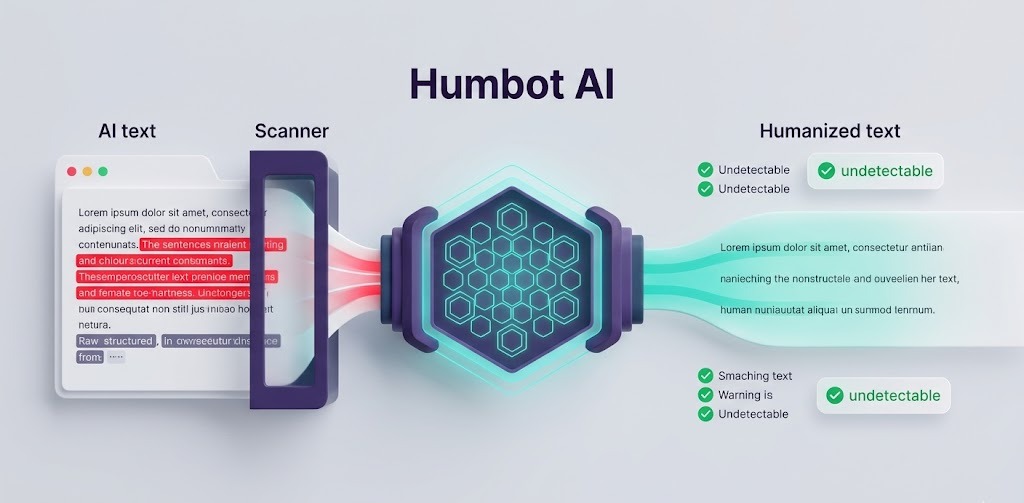
What if an AI humanizer could take robotic text and make it sound like something people actually write? That is what this one does. Instead of just replacing words, it reworks how ideas flow from start to finish.
Most spinners shuffle terms around without fixing the underlying rhythm that gives machines away. This system changes up pacing, swaps out predictable phrasing, then fine-tunes voice until alarms stay silent.
Meaning stays intact even when structure shifts completely. Machines often repeat certain habits - here those get rewritten at the root level. Think less word swap, more thought translation.
Detection tools look for telltale signs; each tweak removes another clue. Writing ends up smooth, clear, yet free of digital fingerprints. Behind every edit lies pattern disruption disguised as normal expression.
Nothing forced, nothing flashy, just cleaner output beneath the surface. It reads right because it thinks differently first.
Anyone can pick up this tool, really. Some bloggers tweak their machine-written drafts with it, while others in marketing find posts connect better after a pass through its features.
Students turn to it when shaping essays, just like writers who craft web content do when chasing that real-sounding tone. It sits right where fast drafting meets speech you’d actually hear from someone across a table.
This ability to humanize AI text is one reason the platform continues gaining attention among writers and marketers.
How Humbot Works
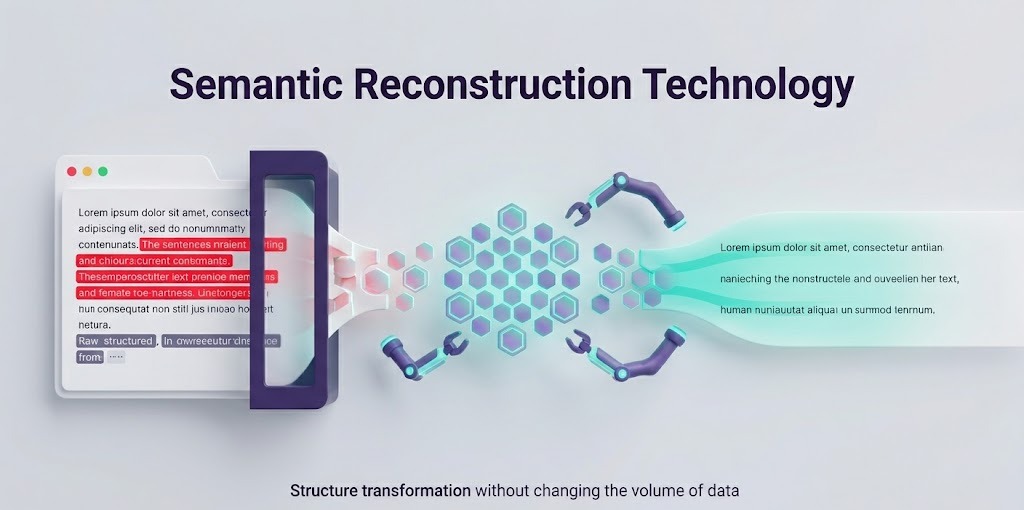
Semantic Reconstruction Technology
What stands out about Humbot is its semantic reconstruction process. Instead of swapping just a word here or there, it studies what the whole piece tries to say, then reshapes it with fresh phrasing.
Picture fixing up a home without tearing down its base - same structure underneath, yet everything looks new on the outside. Meaning stays true, even when sentences take a different path. Though built differently, the idea inside doesn’t shift.
Most times, shifting how sentences are built lowers the odds of spotting machine-made phrasing. Since each part gets rebuilt from scratch rather than swapped word for word, what comes out usually sounds closer to real talk. It slips past checks easier than standard rephrase methods tend to do.
Replace Words and Rework Sentences
Still involved in the task, swapping words happens - yet fits just a small role. Humbot swaps repeated terms smartly while shifting how ideas are framed.
While word substitution plays a role, it is only one part of the overall process. Sentences get rearranged, their shape altered without force. Variety grows because of these shifts, rhythm smoothing out along the way.
Most tools swap too many words, leaving sentences stiff. Yet this one shapes phrases the way people actually speak. Even so, small shifts keep it feeling original. Without that mix, text feels off - either robotic or forced.
Improved Complexity and Variation
Most tools today check how surprising a piece of text feels along with shifts in rhythm. Modern detection systems often evaluate perplexity and burstiness when analyzing text patterns.
A low sense of surprise means words follow familiar paths. Rhythm shows up in how sentences mix short bursts with longer ones. People tend to write in uneven flows without thinking. Machines lean toward steady, repeatable shapes instead.
Out of nowhere, Humbot tweaks how things flow - shifting between short bursts and stretched-out lines. Sentence shapes change without warning, breaking any robotic pattern you might expect.
A rhythm builds, something uneven yet familiar, like real talk caught on paper. That rawness? It quietly lifts the whole message. Effectiveness spikes when readers forget they’re reading machine-made words.
Humbot Key Features
AI Detection Avoidance Method
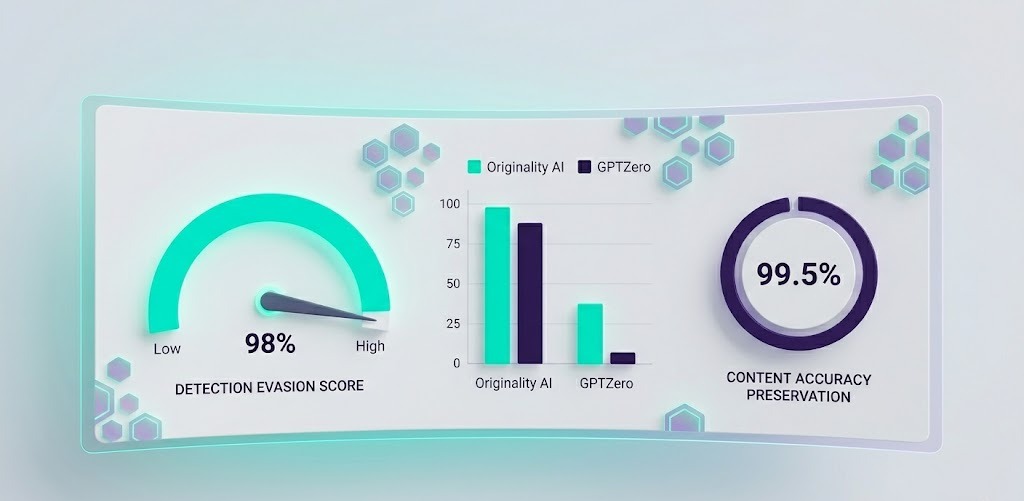
Out there among features, Humbot's standout trait gets mentioned again and again: helping users bypass AI detection by reducing common machine-writing signals. Built with sharp attention, it tackles markers that often trip up scanners.
Sure, nothing promises flawless outcomes. Still, its approach cuts down visible machine traces, making automatic checks easier to slip through.
While no tool can guarantee success against every AI text detector, Humbot is designed to minimize patterns that trigger detection systems.
Multiple Humanization Modes
From project to project, tone shifts. Depending on what you’re aiming for, Humbot adjusts how much it reshapes text - sometimes subtly, sometimes more boldly.
Some prefer a light touch; others want deeper changes. How far it goes depends on your goal: clarity, uniqueness, or flying under radar tools. The control stays with the person typing.
Content Preservation Mechanism
Most tools that tweak writing tend to twist what was meant. Still, Humbot works differently - it changes how things are said but tries hard to keep the core message intact.
During checks, it usually held on to essential details and stayed grounded in context, rarely slipping into false claims.
User-Friendly Interface
Starting out feels smooth thanks to clear layout choices. A person drops in their words, picks options that fit, then waits just moments for an updated draft.
Newcomers catch on fast - no manuals needed, no tech background required. How it flows makes sense right away.
Testing Methodology
Test Content Selection
A handful of content styles went under the microscope during this Humbot review. Blog posts showed up, alongside marketing lines, factual write-ups, item summaries, even pieces that sounded like classroom essays.
Different shapes of text helped reveal what the tool can handle - also where it stumbles. Each format added its own clue.
Tools That Detect AI
For testing how well it works, real people rewrote samples then ran them through multiple popular tools designed to spot machine-generated writing. These tools are commonly used to analyze AI generated content across education, publishing, and marketing industries.
- Originality AI: Strict rules define how Originality AI checks text. Publishers lean on it because it spots machine-written work reliably. Agencies trust its results when reviewing material. SEO experts turn here first before anywhere else. When a piece clears this hurdle, chances are good it will elsewhere too.
- GPTZero: Now here's something teachers and companies are starting to notice - GPTZero leans into how sentences flow, spotting quirks that often tag a piece as machine-made. Hidden rhythms in wording give it away, more than most realize.
- Turnitin: Still widely used across schools and universities, Turnitin stands out. With much stronger AI spotting features now, it shapes how writing gets checked in learning settings.
Humbot Performance Results
Detection Evasion Score
During this Humbot review, testing showed Humbot handled multiple AI detectors without issue. Though outcomes shifted with different texts and how complex they were, detection levels usually dropped quite a bit.
When the original content followed rigid patterns, changes made by the tool had the strongest effect.
Readability Score
Most times, the words just made sense when reading through them. Other tools often stumble into odd phrasing - Humbot didn’t tend to do that.
Instead, ideas moved forward without bumps or snags. Conversational rhythm held steady across runs, almost like a real person wrote it.
Content Quality Score
Most pieces held together well from start to finish. With clear paragraphs and smooth shifts between ideas, they rarely stumbled.
Even when small tweaks helped, the results stood above typical output from simpler rewriters. Consistency showed through without trying too hard.
Accuracy Preservation Score
Most of the time, the details stayed correct. Core points, reasoning, and what you meant to say didn’t change through the process.
Still, it makes sense to double-check anything important before sharing - especially if it's complex or needs precision.

Humbot in Everyday Situations
Academic Writing
For academic writing, many students look for ways to make AI-assisted drafts sound more natural while still maintaining accuracy. Most students get checked closely by software that spots AI-written work.
To dodge red flags, some turn to Humbot - rewriting machine-made text so it feels like a person wrote it, without losing key points. Still, rules matter: schools set their own boundaries on what tools you can use when polishing papers.
Blogging and SEO
For bloggers and those focused on search rankings, Humbot could be worth exploring. When it comes to visibility online, what matters most is content that feels genuine.
Writing that flows like human thought tends to engage people more easily. Even when built with machine help, words can still feel real if shaped well.
Content Professionals
For content professionals managing heavy publishing workloads, Humbot can help refine AI-assisted drafts before publication. For those managing heavy publishing tasks, smoother output comes when Humbot tweaks awkward rhythms in AI-written text.
Instead of raw drafts going straight to print, they first pass through subtle refinements that quietly iron out robotic tics. Behind the scenes, small shifts add up - readability climbs without losing original meaning.
What emerges feels more natural, less machine-made. The tool sits lightly between creation and release, doing quiet cleanup others might miss.
Marketing Teams
Out here, flat words get a voice. Humbot slips into robotic lines, warming them up like real talk between people who actually listen.
Suddenly, messages stick because they sound less like ads, more like chats you lean into. That shift? It pulls listeners closer, makes campaigns hum without shouting.
Pricing Plans and Free Tier
Starting out slow? There is a free tier ready to go. Jumping in fast means picking a paid level if big projects come up.
Trying things without spending money works fine at first. Need more power or speed later on - then paying opens extra doors. Full features stay locked until fees get covered.
Occasionally touching up AI words? The basic plan could cover it. When piles of content stack high, stepping into paid features often makes sense - more room, less waiting.
Speed picks up. Limits stretch. Humbot offers multiple pricing plans depending on usage needs, along with a useful free tier for new users.
Pros and Cons
| ✅ Pros | ❌ Cons |
|---|---|
| Easy-to-use interface | No guarantee of bypassing every AI text detector |
| Effective AI humanizer functionality | Results vary depending on source content |
| Strong readability preservation | Some outputs still require manual editing |
| Multiple humanization modes | Premium features require paid subscriptions |
| Useful free tier available | Technical content may need additional review |
| Good balance between quality and speed | |
| Keeps the main idea mostly intact |
Humbot vs Competitors
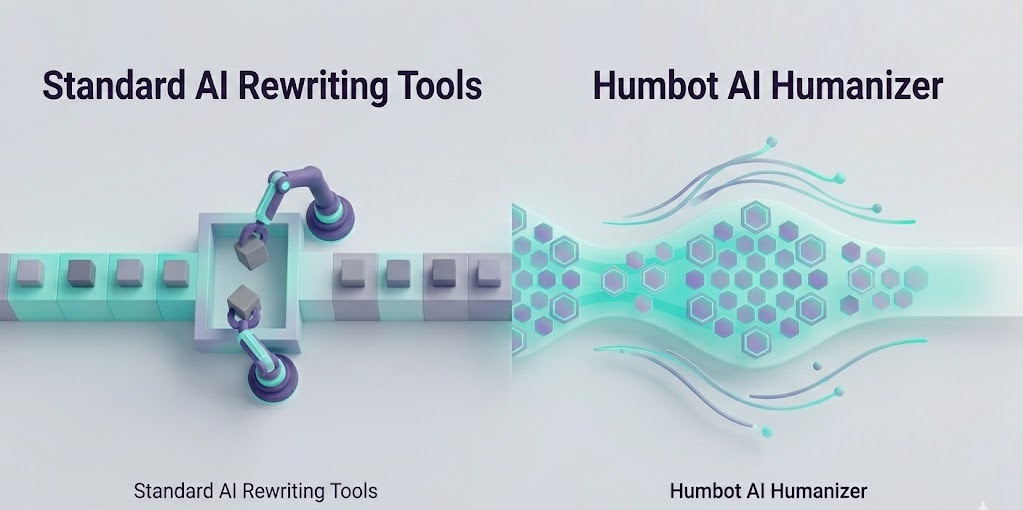
Humbot Compared to Standard AI Rewriting Tools
Most old-school rewording apps just swap words and tweak phrasing here and there. Instead of that basic method, Humbot rebuilds meaning from the ground up while shifting how sentences are shaped.
Because of this deeper process, rewritten text tends to sound smoother, almost like someone thought it through again. The end product rarely carries that robotic stamp common in typical tool-made versions.
Humbot Compared to Other AI Rewriters
What sets Humbot apart from similar tools isn’t just how smooth it feels to use. Instead, it’s the way real results show up in cleaner output that slips under radar checks more often.
Compared with a standard AI paraphrasing tool, Humbot focuses more heavily on restructuring meaning and sentence flow. Sure, certain rivals might outdo it in one spot or another.
Yet across the board, few match its steady mix of performance and ease. For people needing something reliable without fuss, it holds up well. Not every feature shouts for attention - some simply work when needed.
Is Humbot Safe to Use?
Based on findings from this Humbot review, the platform is generally straightforward to use when content is properly reviewed before publishing. Most folks find Humbot easy to navigate right away.
Instead of creating new material, it reshapes what you already have. Each person using it must check results, confirm details line by line, follow rules that apply.
Even though it helps with words, someone still needs to watch every change closely. Quality stays steady only when attention doesn’t slip.
Who Should Use Humbot?
Blogging folks might click with Humbot. Marketers too. Students shaping drafts see a fit. Agencies juggle content fast - this helps.
For SEO experts tuning web words, it fits right in. Content pros using AI daily? It lines up well.
Text that reads like people talk - that’s where it shines. Quality stays high when speed matters. The ones watching both time and tone get the most out of it.
Conclusion
This Humbot review shows that as AI-written material spreads, so does the need for tools that make it feel less robotic. Not every solution manages what Humbot claims - reshaping text in ways that sound like real people wrote them.
Instead of swapping words randomly, it rethinks how sentences flow together. Detection software struggles more when content passes through this kind of processing.
Readability climbs without losing original meaning, which helps those who rely on AI but want work that doesn’t seem machine-made. Writers juggling deadlines notice the difference, just as students aiming for authenticity do.
Marketing teams use it quietly behind drafts meant for public eyes. Even though checking output by hand remains smart practice, skipping such steps grows tempting.
By 2026, standing out means sounding human; Humbot nudges writing closer to that mark. Overall, this Humbot review found that the platform offers a strong balance between readability, content preservation, and AI-humanization capabilities.
FAQs
1. Humbot Compared to Standard AI Paraphrasing Tools?
True. Instead of swapping words one for one, Humbot rebuilds meaning while shifting structure - so output feels less robotic. It works by rethinking flow, not just replacing terms.
2. Can Humbot Avoid AI Detection?
Success isn’t promised by any single tool when facing AI checks. Still, many find Humbot lowers red flags quite a bit while making text feel more genuine.
3. Free Tier Available at Humbot?
Free access exists on Humbot. Try it first without paying anything. A trial option opens doors prior to any purchase decision.
4. Can Humbot Be Used for Academic Writing?
While it helps tweak drafts made with AI, careful checking matters a lot. Sticking to school rules is key, so each person must look things over well.


HIX Bypass Review 2026: Real Results vs Marketing Claims
Discover the truth in our comprehensive HIX Bypass review 2026. Learn how this AI text humanizer performs against top AI content detectors, its features, and true value.

StealthWriter Review 2026: Does It Actually Pass GPTZero?
Struggling to bypass AI detection? Read our 2026 StealthWriter AI review to see if this content humanizer actually beats GPTZero, Originality AI, and Copyleaks.