
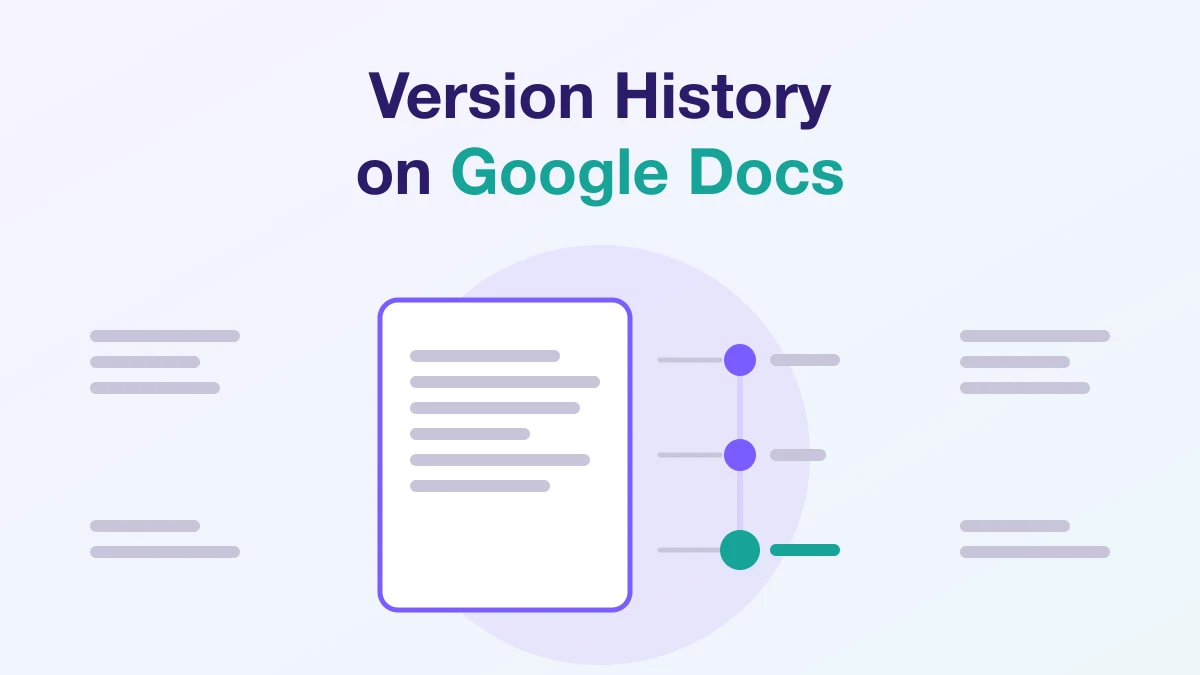
Can Teachers See Version History on Google Docs?
Teachers can see a Google Doc's version history only if they have edit access to it. Google says that to browse earlier versions, "you need permission to edit that file." In Google Classroom, teachers have that access to turned-in work: after you turn in a Docs file, Classroom Help says only the teacher can see and edit your work.
Key points
- Google requires edit permission to open version history. Without it, you "won't be able to see the version history."
- In Classroom, teachers can edit assigned copies as students work, and only the teacher can edit a turned-in Docs file until it is returned or the student unsubmits it.
- Google's version history help page does not describe a paste indicator or an AI-writing detector. Classroom originality reports compare work against web pages and books.
- Extensions such as Draftback and GPTZero's Writing Report replay a Doc's revision data. Draftback says only users with Edit permissions can access its playback, and GPTZero says to open its report from a Doc you can edit.
- Google says a copied or downloaded file loses its version history.
Who can see version history on a Google Doc?
Only people with edit access. Google says: "To browse earlier versions of a file, you need permission to edit that file." It repeats the rule at the end: "If you don't have permission to edit a file, you won't be able to see the version history."
Google Drive has three sharing roles. A Viewer "cannot make changes, add comments, or share the item," and a Commenter "can make comments and suggestions on files." Neither role is an Editor, so a teacher you shared a Doc with as Viewer or Commenter cannot open its version history under Google's rule.
Can teachers see version history in Google Classroom?
Usually, yes. Classroom Help describes teachers editing student documents while students work, and being the only ones who can edit a turned-in Docs file.
While you are working
When a teacher attaches a Drive file, one option is "Make a copy of the file for each student." Classroom Help then tells teachers: "As students work on an assignment, you can view their progress, add comments, and make edits in the documents." The student page agrees: "As you work, your teacher can review your progress before you click Turn in." Both statements are about files the teacher attached to the assignment.
After you turn in
Classroom Help states: "After you turn in a file from Google Docs, Sheets, or Slides, only the teacher can see and edit your work." The teacher guide adds that "Students can't edit any files attached to an assignment until you return it." With edit access, a teacher meets Google's condition for opening version history.
Classroom's student pages describe this in terms of access, not ownership. The teacher page on transferring a class does list "Turned-in student work" among the things the new primary teacher owns after a transfer.
When work is returned or unsubmitted
When work is returned, "you regain edit access to the file again." To change submitted work, Classroom Help says to "unsubmit the assignment before the due date, make your changes, and resubmit."
On turned-in and graded assignments, a teacher's "See history" view shows "how many times a student has submitted an assignment." In Google Workspace for Education Plus editions, teachers can also "check when each student last edited their submission."
What does Google Docs version history show?
It shows earlier versions of the document and who changed what. When you open a version, Google says "You can find who updated the file and their changes."
Versions are grouped: Google's steps include "Find grouped versions," and it warns that "The revisions for your file may occasionally be merged." Named versions are the exception. You can name a version "to track your version history and make sure your versions aren't merged," with "up to 40 named versions per document."
In Education Plus and some other Workspace editions, you can also select text and choose Show editors to see who changed it.
Google's page does not describe a typing replay, a time-spent figure or a label for pasted text. The developer of Draftback says Google Docs "keeps a record of nearly every minor edit that users make" to power real-time collaboration, and that Draftback "does show more of the revision history than Google Docs's own Revision History tool."
Can teachers see if you copy and paste on Google Docs?
Not through version history itself: Google's version history help page describes no paste indicator. Paste information comes from third-party extensions that read the Doc's revision data.
Revision History's Chrome Web Store listing offers "Copy/Paste Detection: See what content was pasted from external sources." GPTZero says large pastes in its Writing Report get "their own activity card showing who pasted, how many words and characters came in" and a preview of the text.
Can Google Docs detect AI or ChatGPT?
Google's help pages for Docs cited here do not describe an AI-writing detector. Its Docs help page on AI labels covers "images, videos, and audio generated by Gemini," not text. Google's January 21, 2026 education announcement on AI detection covers "images and videos created or edited by Google AI using SynthID," checked in the Gemini app, not written text.
What Classroom originality reports check
Originality reports are a plagiarism check. Google says they "use Google Search to compare a student's Google Docs, Google Slides, and Microsoft Word files against webpages and books on the internet." If an administrator turns on school matches, available only in Education Plus and the Teaching and Learning Upgrade, reports also check "against previous student submissions from your school or district." Google's originality report pages do not mention AI detection.
Google lists these limits, as of November 2026:
- Education Fundamentals accounts can turn on originality reports for 5 assignments per class. Teaching and Learning or Education Plus removes the cap.
- Students can run 3 reports before turning work in, and the teacher can't find those.
- When students turn in work, Classroom automatically runs a report on each submitted Docs or Slides file, visible only to the teacher. Resubmitting runs another one.
- Reports can be found for 45 days, after which the teacher can run another in the grading tool; documents must not exceed 2MB.
How do writing-process tools rebuild a document's history?
Some read the revision data Google already stores, so they work on documents written before anyone installed them. Others record writing only inside their own editor or after you switch them on.
| Tool | What the vendor says it shows | Access or setup the vendor describes |
|---|---|---|
| Draftback | Playback of a Doc's revision history, writing patterns, time spent | Only users with Edit permissions on the document |
| Revision History | Video replay, editing sessions, time spent, pasted content | Vendor pages do not state a permission level |
| GPTZero Writing Report | Replay, typing analysis, large pastes | A Doc you can edit; view-only users see "Request edit access" |
| Grammarly Authorship | Typed, pasted and AI-assisted text, plus replay | Opt-in; you choose whether to share the report |
| Turnitin Clarity | Playback, paste events, active writing time | Work must be written in Turnitin's own writing space |
Tools that read existing Google Docs history
Draftback replays "the revision history of any Google Doc you can edit," and its listing says it "can be used retroactively on existing documents." Its FAQ states: "Only users with Edit permissions on a document can access its Draftback playback." The developer says Draftback avoids "flagging" things as "suspicious" and shows uninterpreted playback instead.
Revision History's Chrome Web Store listing lists editing sessions, time spent writing and a video replay with "large paste/deletion moments highlighted." Its website says its output should be "a starting point for conversations with students, not as explicit evidence of any kind of behavior."
GPTZero says that "In Google Docs, the Chrome extension builds the replay from the document's revision history." Its help centre says to open "a Google Doc that you can edit", and that with view access only, the menu says "Request edit access."
Tools that record as you write
Grammarly Authorship is opt-in. Grammarly says it "will not track text sources without your consent" and that "your school cannot see your Authorship Report if you don't share it."
Turnitin Clarity is a separate writing space. Turnitin's student FAQ lists "Clipboard paste events" and active editing time among the data it captures. Its instructor FAQ adds that "If a student completes work outside the writing tool, the tool will not track the writing process."
Can teachers see version history on Microsoft Word?
Only if the file is stored in OneDrive or SharePoint. Microsoft says "Version history in Microsoft 365 only works for files stored in OneDrive or SharePoint in Microsoft 365." Personal accounts can retrieve the last 25 versions; for school accounts, the number "will depend on your library configuration." Microsoft's OneDrive page adds that "File version history is retained for 30 days" and that on a work or school account "your administrator may have turned off document versioning."
Who can see older versions depends on how the library is set up. Microsoft says that when content approval is required, usually only the file's owner and approvers can see minor versions, while in other libraries "anyone who can edit files in the library, or anyone who has Read permission to the library, can see all versions."
How to use your own version history as evidence that you wrote something
Your version history can support your account of how you wrote a piece, but schools decide how to weigh it. Turnitin says its AI writing detection "may not always be accurate" and "should not be used as the sole basis for adverse actions against a student." It adds that deciding misconduct takes human judgment and an organization's own academic policies. GPTZero says detector results "should not be used to punish or as the final verdict."
What Google's documentation supports:
- Write in the same Doc you submit. Google says copied and downloaded files lose version history.
- Name versions at milestones, such as outline, first draft and final draft. Named versions are not merged, and a Doc can hold up to 40.
- Share it the way Google requires. A reviewer needs edit access to open version history. Draftback and GPTZero work on any Doc you can edit, including your own, and GPTZero says every report has a share link you control.
- Check the rules for your course. Turnitin notes that "Each institution and specific course will have different policies" on AI tools.
If you are facing an accusation, see what to do if you are falsely accused of using AI, why an essay gets detected as AI and whether Turnitin can detect ChatGPT.
Disclosure: this article is published by Ryne AI, which makes an Auto Typer for Google Docs.
Frequently asked questions
Does making a copy of a Google Doc keep version history?
No. Google's troubleshooting page warns: "You'll lose some features, like version history, in your copied file." The same page gives the same warning for downloaded files.
Can teachers see version history on a PDF?
Not the Google Docs kind. Google says Docs version history "is different than history for .pdf files, images, and other files stored in Drive." For those files Drive keeps file versions, and a version "might be permanently deleted after 30 days or if there are 100 newer versions." Microsoft says OneDrive version history works with all file types, including PDFs.
Can teachers see version history on Canvas?
Instructure's SpeedGrader guide describes submission details, not an edit-by-edit history. Unless anonymous grading is enabled, it says instructors see "each individual submission and the date and time that it was submitted," a late label where it applies, and prior submissions when a student resubmits. See also what Canvas shows instructors about AI.
Can you delete version history in Google Docs?
Google says deleting version history "is permanent and cannot be undone." That removes a record you might later need to show, so the safer habit is to keep it and name the versions that matter.
Sources
- Google Docs Editors Help: Find what's changed in a file (accessed November 2026)
- Google Docs Editors Help: Troubleshoot errors while you edit Google Docs, Sheets, Slides, Vids, or Pics (accessed November 2026)
- Google Docs Editors Help: Learn about AI labels & content credentials (accessed November 2026)
- Google Drive Help: Share and manage access to files and folders in Google Drive (accessed November 2026)
- Google Drive Help: Check activity & file versions (accessed November 2026)
- Classroom Help: How attachments are shared in Classroom (accessed November 2026)
- Classroom Help: Turn in an assignment (accessed November 2026)
- Classroom Help: Grade & return an assignment (accessed November 2026)
- Classroom Help: Transfer ownership of a class (accessed November 2026)
- Classroom Help: Turn on originality reports (accessed November 2026)
- Classroom Help: How an originality report is created (accessed November 2026)
- Google: New security and AI detection features for Google Workspace for Education (January 21, 2026)
- Draftback: a Chrome extension for replaying the revision history of Google Docs (accessed November 2026)
- Chrome Web Store: Draftback (accessed November 2026)
- Chrome Web Store: Revision History: Writing Process Visibility for Google Docs & Slides (updated November 7, 2026)
- Revision History: See How Your Students Actually Write in Google Docs & Slides (accessed November 2026)
- GPTZero: GPTZero Authorship: Writing Replay for Google Docs and Beyond (accessed November 2026)
- GPTZero Support: What is the Google Docs writing report for the GPTZero browser extension? (accessed November 2026)
- Grammarly: Authorship (accessed November 2026)
- Turnitin: FAQs for students using Turnitin Clarity (accessed November 2026)
- Turnitin: FAQs for Instructors using Turnitin Clarity (accessed November 2026)
- Turnitin: Using the AI Writing Report (accessed November 2026)
- Microsoft Support: View previous versions of Office files (accessed November 2026)
- Microsoft Support: Restore a previous version of a file stored in OneDrive (accessed November 2026)
- Microsoft Support: How versioning works in lists and libraries (accessed November 2026)
- Instructure Community: How do I view the details of a submission for a student in SpeedGrader? (accessed November 2026)
Turnitin is a trademark of Turnitin, LLC. Ryne is an independent service and is not affiliated with or endorsed by Turnitin.
Keep reading
Can Turnitin Detect ChatGPT, Claude and Gemini in 2026?
Turnitin says its AI detector covers GPT, Claude and Gemini models. What it names, the 300-word minimum, the asterisk rule and its false-positive claims.
Can I Check My Paper on Turnitin Before Submitting?
Only through your school. Turnitin sells no individual licences, so you can check a draft early only via a resubmission-enabled assignment or Draft Coach.