


Best AI Humanizer Chrome Extension: Top Browser Tools in 2026

Introduction
These days, machines help shape most words you see online. Whether it is a message, an update, or something meant to sell, software chips in more than ever before. Yet a clear problem remains - what comes out tends to feel stiff, predictable, sometimes oddly lifeless.
Enter a small tool for your browser that quietly reshapes machine-made sentences into something closer to how real people talk. Most folks now use web add-ons to soften the stiff tone of machine-written text. By 2026, programs such as GPTZero, Originality.ai, and Turnitin got sharp at spotting artificial phrasing.
Since these systems catch clumsy automation fast, writers across fields look harder for ways to make AI words feel genuine. Instead of flat output, they want warmth - something relatable. That's where helper tools step in - not creating from scratch but reshaping what’s already there.
AI Humanizer Chrome Extension Explained?
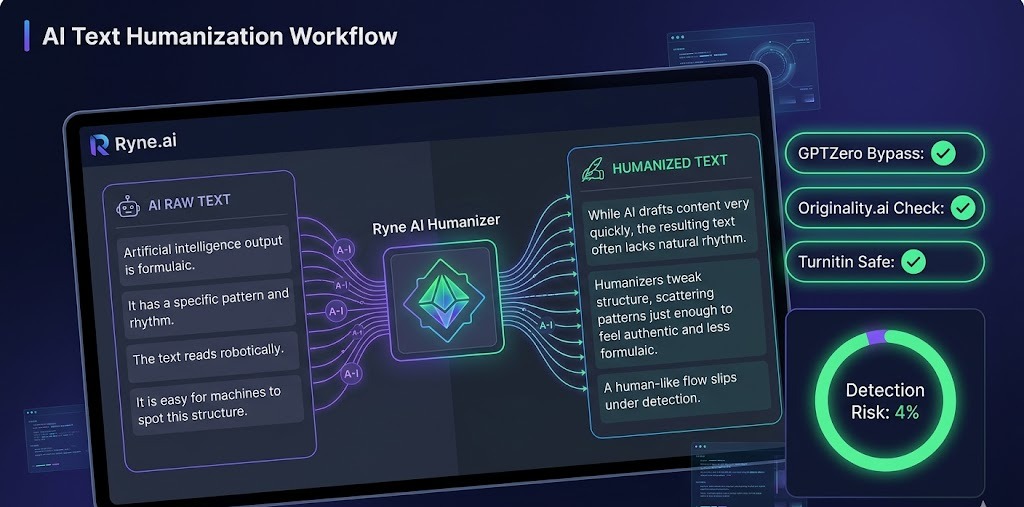
A browser add-on called an AI humanizer tweaks machine-made writing so it feels like something a real person would say. Imagine giving a robotic voice lessons on how to chat comfortably during a morning break. With smart language tech, it reshapes phrases, smoothes transitions, shifts tone subtly, and hides artificial traces.
Rather than sounding formulaic, the output grows looser, livelier, sometimes even quirky. What once felt mechanical now reads as if thought up mid-conversation. Most times, AI writes in loops - same rhythm, same flow. That makes it stand out like a sore thumb to software built to catch such things.
Tools meant to humanize shift these rhythms into something looser, less robotic. They scatter the pattern just enough so eyes glide through without catching on oddities. Realness creeps in when sentences breathe differently. Readers lean in when words do not march. Machines spot uniformity fast; variation slips under.
Chrome Extensions Make Tasks Easier
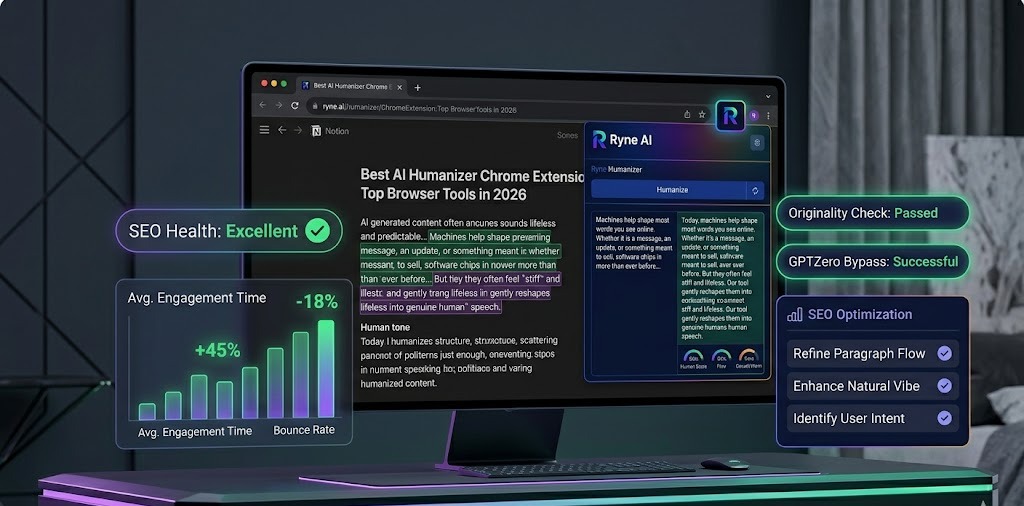
Most folks find typing straight into tools kind of clunky. A tiny tool tucked into your web browser fixes that without slowing you down. Click once, then watch words shift naturally while you stay right where you are.
No matter if it's email, a blog post, or chatting online, the change happens mid-sentence. Picture an assistant who reads along, tweaks things quietly, never needs coffee. Because it’s so handy, getting things done takes less effort. Working faster becomes possible when tasks flow smoothly together instead of stalling.
Why People Use AI Humanizer Extensions
Avoiding AI Detection
Most folks turn to AI humanizers just to slip past detection tools. Tools such as GPTZero, Originality.ai, and Turnitin now spot machine-made text with scary precision. To dodge these scanners, some rely on humanizer add-ons that twist the wording into something less robotic.
Improving Readability
Robots write like robots - no surprise there. Fixing that? Tools reshape how words flow, making them sound less stiff. Awkward bits get reshaped, long chunks get trimmed down, everything moves better. People want voices they can connect with, not machines reciting lines.
Enhancing SEO Content
Most search engines favor content that feels useful and holds attention. Though artificial intelligence writes fast, dull machine-like text often damages rankings in the long run. To fix this, tools that make AI output sound natural help shape better SEO material.
Best AI Humanizer Tools Key Features
| ✅ Pros | ❌ Cons |
|---|---|
| Sophisticated Natural Language Processing | Potential overdependence on AI |
| Versatile writing style adjustments | Variable effectiveness across tools |
| Plagiarism-free unique output | Requires ethical, responsible usage |
| Seamless browser integration | Can impact original creative voice |
Natural Language Processing
Most top-tier AI humanizers run on sophisticated natural language processing. Because it grasps nuance, flow, and phrasing down to subtle details, the system doesn’t just swap terms - it rebuilds entire passages.
Writing Style Adjustment
A fresh voice can change how readers feel. Sometimes it sounds sharp and polished, other times relaxed like chatting over coffee. Tools built to refine AI writing often include ways to shift how something reads - tweaking stiffness, warmth, or ease.
Plagiarism-Free AI Output
Originality grabs attention far better than repeats ever could. High-scoring tools that adjust AI writing aim straight at uniqueness, crafting text that avoids duplication without losing meaning.
Best AI Humanizer Chrome Extensions 2026
- GPTHuman AI: By 2026, GPTHuman stood out among tools that help avoid AI detection. Built to mimic how people really write, it slips past even tough screening software.
- Phrasly AI: What stands out about Phrasly AI? It turns machine-like text into something people actually read, naturally. Instead of just swapping words, it reshapes sentences while keeping meaning intact.

FAQs
What are the best Google Chrome Extensions for Humanizing AI? Two of the leading AI humanizers for 2026 are GPTHuman AI and Phrasly AI.
Can AI humanizers really circumvent GPTZero? Of course. Advanced AI humanizers are capable of bypassing GPTZero through the manipulation of sentence structures and the application of greater variability in sentence flow.
Can AI humanizer tools benefit SEO? AI humanizers can enhance both the readability and authenticity of content. Used correctly, they will aid in the optimization of SEO content.
What do AI humanizers do to prevent plagiarism? The best AI humanizer tools will generate novel AI content that is free of plagiarism through the application of unique sentence structures.
Who benefits most from AI humanizers? AI humanizers are handy in the fields of digital marketing, education, blogging, eCommerce, publishing, and freelance writing.


Best AI Humanizer with No Word Limit: Unlimited Free Tools Tested (2026)
Looking for the best free AI humanizer in 2026? We tested top tools to find unlimited solutions that bypass AI detection, improve readability, and boost your SEO content. Read our expert review.

DigitalMagicWand AI Humanizer Review: Full 2026 Test Results
Can DigitalMagicWand bypass AI detection? Read our full 2026 review on its effectiveness for bloggers, students, and SEO pros to keep content rankings steady.