


Best Free AI Tools for Students: Safe for Schoolwork in 2026

If you've ever stayed up until midnight trying to untangle a confusing lecture or rewrite notes you barely understood, you already know the struggle.
Keeping up with heavy assignments, back-to-back deadlines, and complex topics - especially when you're studying alone - is genuinely hard.
That's exactly why so many students are now turning to free AI tools for students to help them study smarter, not just faster.
But here's the thing: not all AI tools are built the same, and not all of them are safe for school. Some cross the line between helping you learn and doing the work for you.
According to a 2024 Pew Research Center analysis, more than one in four students now uses AI when tackling assignments - yet many are still unsure about what's actually acceptable.
This guide cuts through the noise. You'll find the best free AI tools for students that support real learning, stay within school guidelines, and help you build skills - not shortcuts.

What Makes an AI Tool Safe for School Use?
Not every AI tool belongs in a classroom. The ones that do share a few key qualities: they protect your privacy, they give you accurate and verifiable information, and most importantly, they encourage you to think - not think for you.
The goal of responsible AI use in school is simple: the tool backs up your learning instead of replacing it.
Here's what a safe AI tool for students should do:
- Protect your personal data and not store sensitive information
- Provide answers you can verify and cross-check
- Encourage critical thinking instead of handing over finished answers
- Align with your school's academic integrity policy
Most schools now allow some form of AI when used responsibly. The problem isn't AI itself - it's tools that invent fake references, generate full essays on demand, or bypass the thinking process entirely. Those tools hurt your learning and your credibility.
Types of Free AI Tools Safe for Student Use
The most useful AI tools for students are built for specific tasks. Here's a quick breakdown of what's available and what each type does best:
- AI writing assistant for essays - improves grammar, tone, and structure.
- AI homework helper (safe) - breaks problems down step by step and explains the reasoning.
- AI tutor for high school students - gives personalized explanations at your pace.
- AI note-taking app for lectures - summarizes lessons and organizes key points.
- AI-powered citation generator - creates accurate references in seconds.
- AI flashcard and quiz generator - turns your notes into revision tools automatically.
- AI image detector - analyzes images and uses an AI image detector to help identify whether they may have been generated or edited using AI.
These tools are considered the best AI study apps in 2025 because they support learning - they don't replace it.

AI Writing Assistant for Essays: Improve Without Copying
An AI writing assistant for essays is one of the most misunderstood tools out there. Students assume it writes essays for them - and the bad ones do.
But the good ones work more like a writing coach: they highlight weak sentences, suggest better structure, and flag grammar issues so you can fix them yourself.
Used correctly, these tools help you:
- Improve grammar and tone in your own writing
- Structure arguments more clearly and logically
- Generate ideas to brainstorm from - not copy from
The key rule: the writing has to be yours. Use AI to sharpen it, not produce it.
AI Homework Helper: Learn Step by Step, Not Shortcut by Shortcut
A good AI homework helper doesn't just hand you the answer - that's not helpful and it's not honest. The best ones walk you through the logic behind a problem so you actually understand what's happening.
A trustworthy AI homework helper will:
- Break complex problems down into manageable steps
- Explain the reasoning behind each step clearly
- Avoid giving you a final answer without any explanation
Think of it as having a patient tutor available at 2am - one that asks you questions instead of just solving things for you. That's what makes it an effective AI tutor for high school students.
AI Research Assistant for Students: Summarize, Organize, Verify
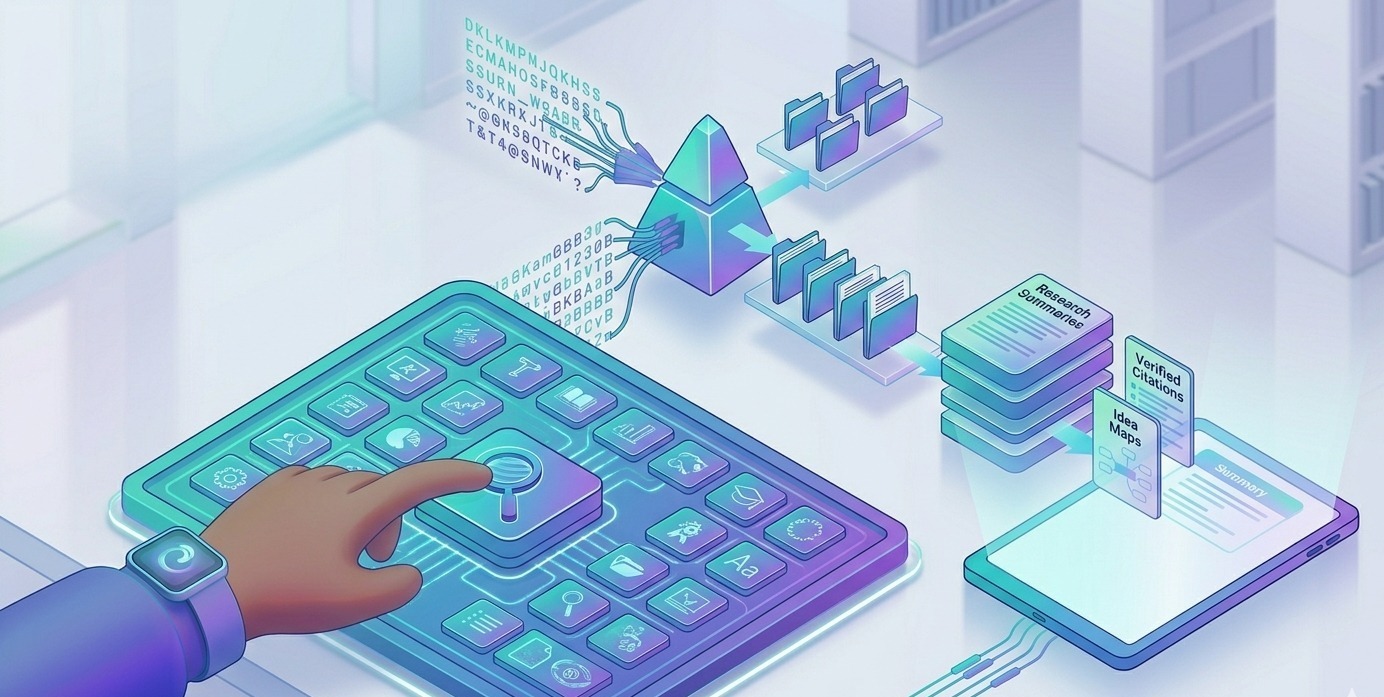
Research is one of the most time-consuming parts of any assignment. An AI research assistant for students can help you cut through long articles, pull out the key insights, and organize your findings all in a fraction of the time.
Where AI genuinely helps with research:
- Summarizing long academic articles into digestible points
- Extracting key arguments and evidence from documents
- Organizing your research into logical categories
One important rule: always verify facts yourself before using them. AI tools can make mistakes, and submitting incorrect information is still your responsibility. Pair your research tool with an AI-powered citation generator like Zotero to make sure your sources are accurate and properly formatted.
Top Free AI Tools for Students (Full Comparison Table)
Here's a side-by-side look at the best free AI tools for students available right now, what they do best, and where their limits are:
| Tool | Best For | Key Features | Free Plan |
|---|---|---|---|
| GPTZero | Plagiarism check | AI detection, originality | Free basic |
| ChatGPT | Everyday study | Q&A, explanations | Free (GPT-3.5) |
| NotebookLM | Research | Summarization, doc analysis | Free |
| Otter.ai | Note-taking | Voice transcription | Free w/ limits |
| Notion | Productivity | Notes, databases | Free personal |
| Thetawise.ai | Math help | Problem solving | Limited free |
| Napkin.ai | Visual learning | Diagram creation | Free |
| Focusmate | Focus | Study sessions | Limited free |
| Gamma | Slides | AI presentations | Free tier |
| Ryne.ai | All-in-one | Writing + study tools | Generous free |
| Zotero | Citations | Reference management | Free |
Pros and Cons Analysis
| ✅ Pros | ❌ Cons |
|---|---|
| Helps avoid plagiarism (GPTZero) | Limited features on free tiers |
| Versatile and fast (ChatGPT) | Can hallucinate / invent facts |
| Strong research capabilities (NotebookLM) | Learning curves for complex tools |
| Saves lecture time (Otter.ai) | Requires scheduling (Focusmate) |
| All-in-one workspaces (Notion, Ryne.ai) | Newer platforms still evolving |
Which Free AI Tool Should You Use?
The best tool depends on what you actually need. Here's a quick decision guide:
- Writing help → Use an AI writing assistant for essays (Ryne.ai, ChatGPT)
- Homework explanations → Use an AI homework helper safe to use (Thetawise.ai, ChatGPT)
- Research summaries → Use an AI research assistant for students (NotebookLM)
- Lecture notes → Use an AI note-taking app for lectures (Otter.ai, Notion)
- Revision → Use an AI flashcard and quiz generator (Notion, ChatGPT)
- Citations → Use an AI-powered citation generator (Zotero)
Before committing to any tool, check its data privacy policy, understand what the free plan includes, and make sure it aligns with your school's AI policy.
How Do Schools Detect AI-Generated Content?
This is one of the most common questions students have and one most blogs skip over. So let's be direct about it.
Schools increasingly use AI detection tools like GPTZero, Turnitin's AI detector, and Copyleaks to flag content that looks machine-generated. These tools look for patterns common in AI writing: overly consistent sentence length, absence of personal voice, unusual phrasing, and suspiciously perfect structure.
Detection isn't perfect - these tools can produce false positives. But the risk isn't worth it. The safest approach is to use AI as a research and brainstorming tool, then write everything in your own words. That way, even if your work gets scanned, it sounds like you because it is you.
AI and Academic Integrity: Where the Line Is
There's a clear difference between using AI to support your learning and using it to avoid learning altogether. Here's where the line sits:
- Safe Use: Brainstorming ideas for an essay or project
- Safe Use: Understanding a concept you're struggling with
- Safe Use: Structuring and organizing your own thoughts
- Safe Use: Checking grammar and improving clarity in writing you created
- Safe Use: Summarizing a long article to read faster
- Unsafe Use: Submitting AI-generated text as your own work
- Unsafe Use: Using AI to complete assessments or timed exams
- Unsafe Use: Copying AI output without understanding or rewriting it
Understanding how to use AI without cheating is what separates students who grow from AI from students who get caught by it.
How to Use AI Without Cheating: 5 Best Practices
These five habits will keep your AI use honest, effective, and fully within school guidelines.
- Use AI as a thinking tool, not an answer machine - ask it to explain, not to do.
- Always rewrite AI suggestions in your own words before submitting anything.
- Verify every fact, statistic, or claim AI gives you before using it.
- Check your school's AI policy before using any tool for graded work.
- Treat AI like a tutor - use it to understand, not to skip understanding.
FAQs: Free AI Tools for Students and Academic Integrity
1. Are AI tools allowed in schools?
It depends on your institution. Most schools now permit AI tools when used responsibly and transparently. Always check your school's specific policy before using any AI for graded assignments - policies vary widely between schools and even between individual teachers.
2. Which AI tools are safe and private for students?
Safe tools prioritize your data privacy, avoid storing sensitive personal information, and provide outputs you can verify. Note-taking apps like Otter.ai, citation tools like Zotero, and all-in-one productivity platforms like Ryne.ai are generally considered safe generative AI options for education.
3. Can I use AI without it doing my work for me?
Yes - and that's exactly how you should use it. Good AI tools guide your thinking, explain concepts step by step, and help you structure ideas. They support learning without completing assignments on your behalf. If a tool is doing all the thinking, it's crossed the line.
4. Is ChatGPT useful for studying?
Absolutely. ChatGPT is one of the most versatile free AI tools for students - great for getting explanations, testing your understanding through Q&A, summarizing content, and brainstorming. Just remember to verify facts, since ChatGPT can sometimes get things wrong.
5. What are the main ethical concerns with AI in education?
The biggest concern is misuse - submitting AI-generated content as original work. Beyond that, there are concerns around over-reliance, privacy, and accuracy. Using AI responsibly, transparently, and within school guidelines addresses all of these.
Conclusion
The tool itself isn't what matters - it's how you use it.
Free AI tools for students can genuinely transform how you study, how quickly you understand new material, and how confidently you approach tough assignments. But only when they're treated as learning partners, not replacement workers.
From an AI note-taking app that keeps your lectures organized to an AI writing assistant that sharpens your essays, these tools work best when your effort and thinking are still at the center.
The future of studying isn't AI doing the work for you. It's AI helping you do better work than you could alone.


Why AI Humanizers Don’t Work (And What Actually Works in 2026)
AI humanizers won't work in 2026. Learn why AI detection tools still flag content and discover proven methods to bypass AI detection with real human-like writing and structural rewriting.

Surfer SEO Humanizer Review (2026): Does It Actually Bypass AI Detection?
We tested Surfer SEO's AI humanizer across 5 detectors and compared it head-to-head with Ryne.ai. The results aren't pretty. Read the full review before you publish another AI article